
Fully local processing
Compression runs on your Mac using macOS image frameworks. The App Store description states that no network access is required and that no data is collected.
Compress hundreds of images locally, convert JPEG, PNG, HEIC, WebP and GIF, resize images, and compare results before you export. No uploads, no accounts, no waiting.
PixPack is a native macOS image compression and optimization app for compressing individual images, batches, and folders locally. It supports JPEG, PNG, HEIC, WebP and GIF output, with quality control, resizing, presets, metadata management, before-and-after preview, clipboard paste and workflow features for web, email, apps, social media and documentation.
PixPack is built for people who work with images in volume: web and app assets, email attachments, photo libraries, marketplace listings and documentation screenshots. It replaces the repetitive loop of opening one image, choosing settings and exporting with a single batch queue that is configured once and exported in one action.
Ten core capabilities, from single-image compression to folder-wide batches with format conversion, resizing and metadata control.
Compress individual images, batches or whole folders locally on your Mac.
Compress many images in a single pass and export the whole queue at once.
Drop in a folder and compress its images in one operation.
Convert between JPEG, PNG, HEIC, WebP and GIF while compressing.
Export lean WebP assets for the web, with optional EXIF preservation.
Export images as HEIC to shrink photo libraries on the Apple ecosystem.
Set a maximum width and height and lock the aspect ratio.
Keep EXIF and camera data, or strip GPS location before sharing.
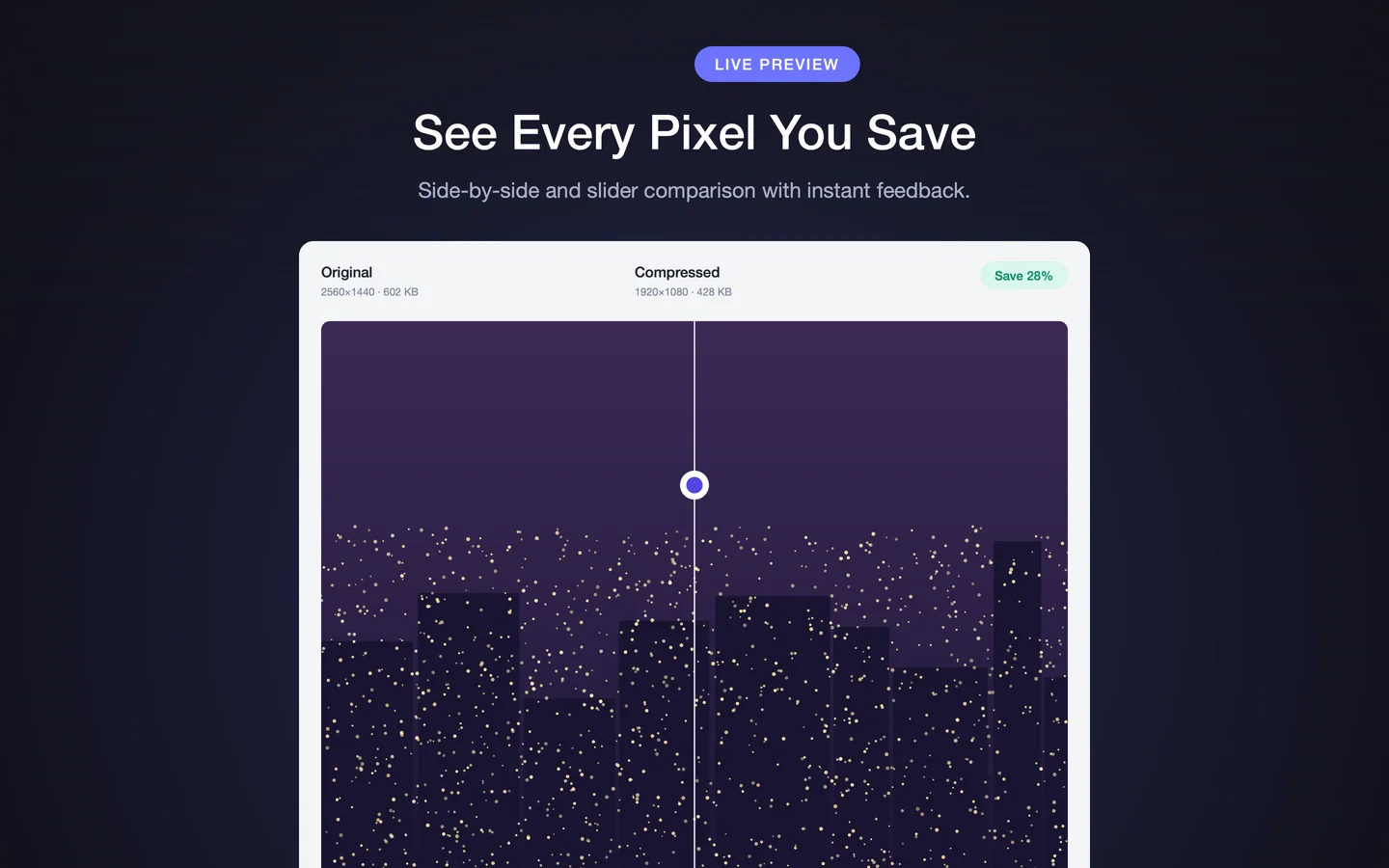
Side-by-side and slider comparison with zoom and pan.
Web, Social, Email and Archive presets, plus unlimited custom presets.
Real problems, each with a page explaining the workflow and the expected result.
Turn heavy source images into lean web assets with WebP or JPEG output.
Shrink photo attachments so they fit inside email size limits.
Reduce the weight of bundled image assets in apps and software.
Reclaim disk space from photo libraries, screenshot archives and downloads.
Prepare correctly sized, metadata-safe images for social platforms.
Produce consistent, correctly sized photos for product listings.
Every figure below is verifiable on the PixPack listing in the Mac App Store.
| Product name | PixPack – Image Compressor Pro |
|---|---|
| Platform | macOS · macOS 14.0 or later |
| Read formats | JPEG, PNG, HEIC, WebP, GIF, BMP, TIFF |
| Write formats | JPEG, PNG, HEIC, WebP, GIF |
| Processing | Local on your Mac · no upload required |
| Privacy label | Data Not Collected (developer-declared) |
| Price | $9.99 US · one-time purchase |
Read JPEG, PNG, HEIC, WebP, GIF, BMP and TIFF. Write JPEG, PNG, HEIC, WebP and GIF.
Everything runs on your Mac, and nothing is written to disk until you have checked the preview.
Compression runs on your Mac using macOS image frameworks. The App Store description states that no network access is required and that no data is collected.
Slider and side-by-side comparison with zoom and pan, plus original size, compressed size, space saved and savings ratio for every file.
Menu bar access, Quick Look previews and Siri Shortcuts support, on both Apple Silicon and Intel Macs.
Add files or whole folders, multi-select, drag to reorder, apply one set of settings with Apply to All Files, and export the batch together.
Slider and side-by-side comparison with zoom and pan, so you can inspect the result before committing to an export.
Practical answers to the questions people actually search for.
Reduce image file size on macOS with a local compressor, without uploading anything.
Apply one set of settings to many images and export them all at once.
Point a compressor at a folder and process every image inside it.
Convert PNG assets to WebP for smaller web images, in batch.
Convert JPEG photos to WebP for smaller web images.
Convert JPEG and PNG images to HEIC to save space in the Apple ecosystem.
Fact-based comparisons using Yes, No and Not verified — no scores, no rankings.
The two apps approach the problem from different directions: ImageOptim optimises existing files in place with minimal configuration, while PixPack gives you explicit control over output format, quality and dimensions across a batch.
The core difference is where the work happens. TinyPNG is a hosted service reached through a browser, with a free tier and paid plans. PixPack is a local Mac app with a one-time purchase and no upload step.
Squoosh is excellent for inspecting one image in detail. PixPack is built for volume: queues, folders, presets and a single export step for the whole batch.
XnConvert is a general-purpose batch converter with a very broad action set across three platforms. PixPack is narrower: a Mac-only tool built around image compression with a preview-first workflow.
Preview is already on every Mac and costs nothing. PixPack exists for the cases Preview does not cover well: many images, an entire folder, format conversion, and a before-and-after comparison before exporting.
PixPack is a native macOS image compression and optimization app for compressing individual images, batches, and folders locally. It supports JPEG, PNG, HEIC, WebP and GIF output, with quality control, resizing, presets, metadata management, before-and-after preview, clipboard paste and workflow features for web, email, apps, social media and documentation.
PixPack is a macOS app. It requires macOS 14.0 or later and runs on both Apple Silicon and Intel Macs.
No. PixPack processes images locally on your Mac. Its App Store description states that compression does not require network access, that nothing is sent to a server, and that no data is collected.
PixPack reads JPEG, PNG, HEIC, WebP, GIF, BMP and TIFF, and can export JPEG, PNG, HEIC, WebP and GIF.
Yes. PixPack can process an entire folder tree in a single batch, and you can drag a folder onto the app to start immediately.
Yes. WebP is one of the five output formats PixPack supports, so PNG files can be converted to WebP as part of a batch.
PixPack is $9.99 on the US Mac App Store. It is a one-time purchase, not a subscription.
No. The App Store description states that there are no uploads and no accounts, and that all processing happens locally on your Mac.
Download PixPack on the Mac App Store. PixPack – Image Compressor Pro · Version 1.4.3 · $9.99 · Requires macOS 14.0 or later.
Sources
Last verified: